
What is a VPN protocol?
A VPN protocol is a set of rules that determines how a secure connection is established and maintained between your device and a VPN server. It helps determine how your data travels through the VPN and how the connection behaves while you're online.
Different VPN protocols exist because there isn't a single approach that's best for every scenario. Protocols can offer different levels of speed, security, stability, compatibility, and mobility. A protocol that reconnects efficiently when switching between Wi-Fi and mobile data may be particularly useful on smartphones, for instance.
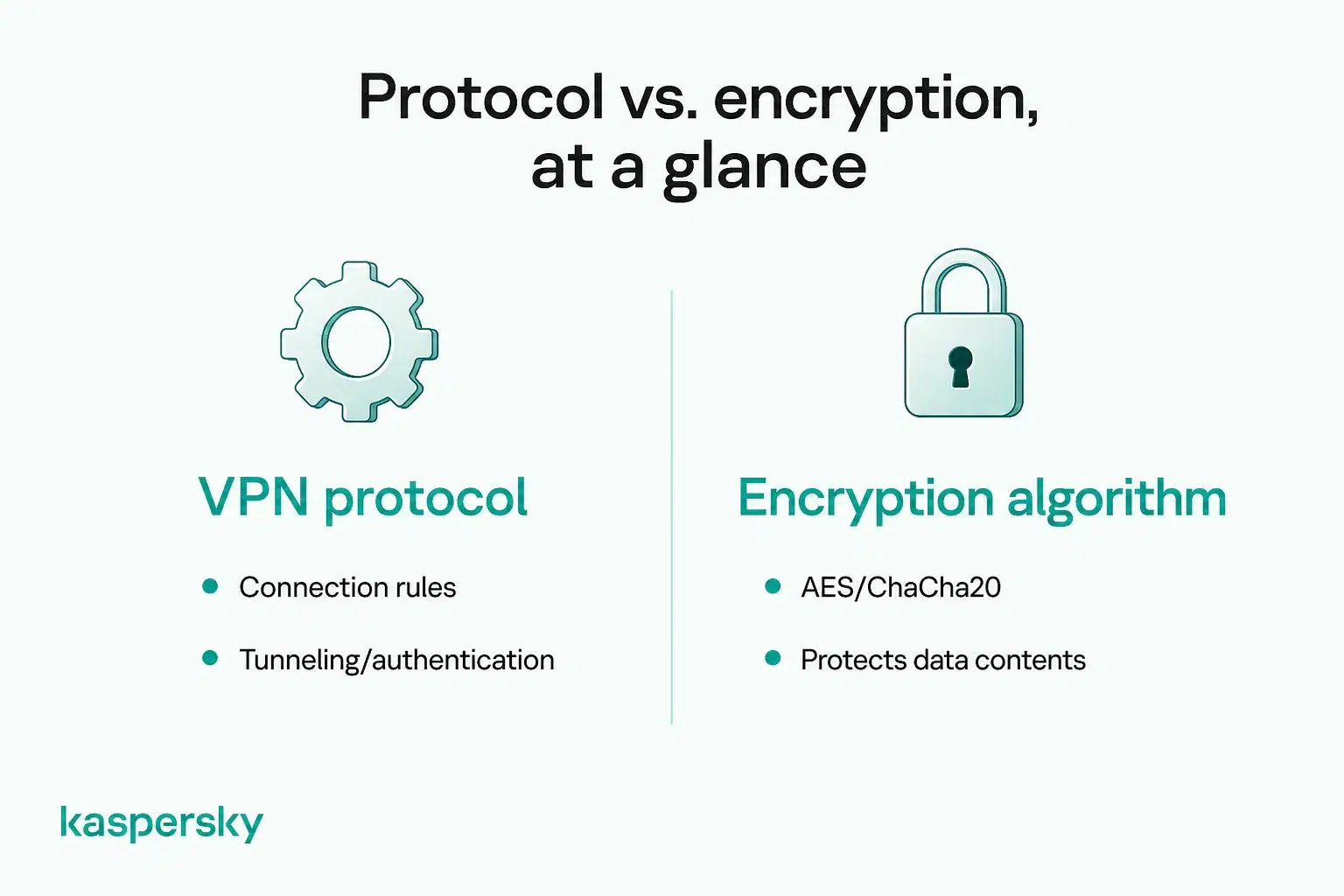
A VPN protocol should not be confused with an encryption algorithm. WireGuard and OpenVPN are VPN protocols that define how a connection operates. Cryptographic technologies such as AES and ChaCha20 help protect the data travelling through it. Modern VPN protocols use encryption as part of creating a secure VPN connection.
Some VPN protocols, including WireGuard, OpenVPN, and IKEv2/IPsec, remain widely used today. Technologies including PPTP are primarily encountered in older systems and legacy configurations and no longer provide the level of security expected from a modern VPN.
- VPN protocols define how VPN connections work, including how they are established, secured, and maintained.
- Different protocols offer different balances of security, speed, stability, compatibility, and mobility.
- WireGuard, OpenVPN, and IKEv2/IPsec are among the commonly used modern VPN options.
- A VPN protocol isn't the same as an encryption algorithm; technologies such as AES and ChaCha20 provide cryptographic protection for data.
- Older protocols such as PPTP are considered outdated and should generally be avoided when secure modern alternatives are available.
How do VPN protocols work?
The VPN protocol helps your device establish and authenticate a connection with a VPN server. It then helps create the secure VPN tunnel and transmit your internet traffic to and from the VPN server while protecting the data travelling through it.
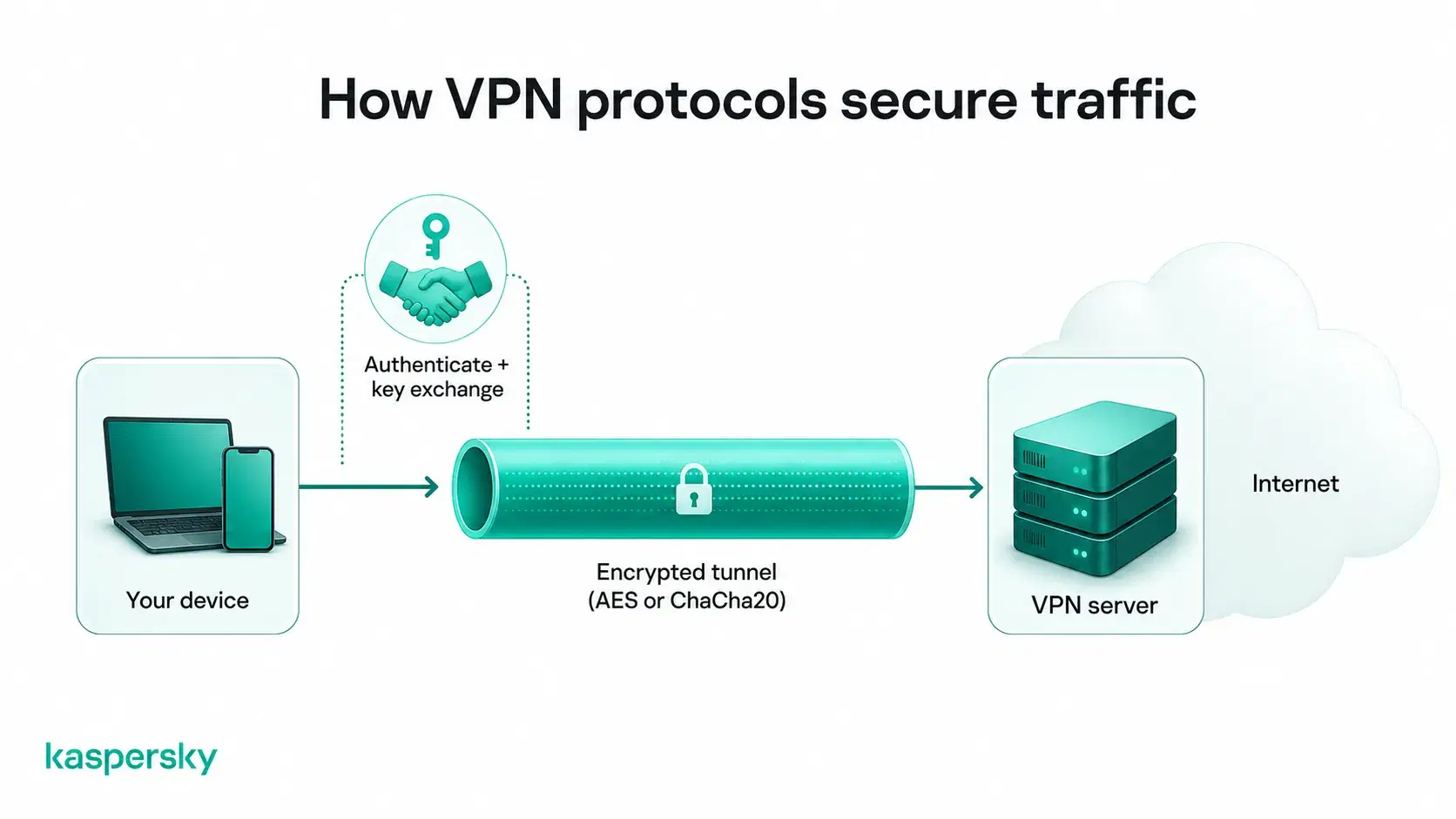
Different protocols use different methods for tunneling, encryption, authentication, key exchange, and data transport. These processes help ensure that the connection is secure and that data reaches the correct destination without being exposed in transit.
Users don't usually need to understand these individual processes, but their effects can be noticeable. The way a protocol handles the connection can influence its speed and reliability. It can also impact device and network compatibility and how smoothly the VPN responds when a connection changes (such as when a smartphone switches from Wi-Fi to mobile data).
What types of VPN protocols are there?
VPN users may encounter several different protocols, from modern options such as WireGuard to older technologies that remain available mainly for compatibility. The term VPN protocol is often used as an umbrella term, although some of these technologies perform slightly different roles in establishing, securing, and transporting a VPN connection.
WireGuard
WireGuard is a modern and lightweight VPN protocol designed with simplicity and performance in mind. Its relatively low overhead and efficient use of resources make it particularly well suited to modern computers and mobile devices. WireGuard uses modern cryptography, including ChaCha20-Poly1305 with a 256-bit key.
|
Pros |
Cons |
|
High connection speeds |
Less configurable than OpenVPN |
|
Low processing overhead |
Some privacy and functionality considerations depend on provider implementation |
|
Uses modern cryptography |
|
|
Efficient on mobile and modern devices |
Current relevance: WireGuard is widely used by modern VPN services and is a strong option for users prioritizing speed and efficiency along with robust modern cryptography.
OpenVPN
OpenVPN is a mature, open-source VPN protocol known for its security and flexibility. It is also popular due to its broad compatibility. It can operate over UDP, which generally prioritizes speed, or TCP, which can provide more reliable connectivity in some network conditions.
|
Pros |
Cons |
|
Strong security |
Higher processing overhead |
|
Broad device and platform compatibility |
Can be slower than lightweight alternatives such as WireGuard |
|
Highly configurable |
More complex to configure manually |
|
Large, mature ecosystem |
Current relevance: OpenVPN remains a widely supported and dependable choice, particularly when flexibility and compatibility are important.
IKEv2/IPsec
IKEv2 and IPsec work together: IKEv2 establishes and manages the secure connection, while IPsec protects the traffic transmitted through it. One of its main strengths is quickly restoring a VPN connection when a device switches networks, such as moving between Wi-Fi and cellular data.
|
Pros |
Cons |
|
Strong security |
Support varies between platforms and providers |
|
Good performance |
Implementation can differ between VPN services |
|
Fast reconnection |
|
|
Excellent network mobility |
Current relevance: IKEv2/IPsec remains particularly useful for smartphones and other devices that regularly move between networks.
L2TP/IPsec
Layer 2 Tunneling Protocol (L2TP) creates the VPN tunnel but does not provide encryption itself, so it is typically combined with IPsec. It was once widely supported and may still appear on older devices and VPN configurations.
|
Pros |
Cons |
|
Broad historical compatibility |
Additional encapsulation creates overhead |
|
Supported by many legacy systems |
Few advantages over modern protocols |
|
Generally less efficient than newer alternatives |
Current relevance: L2TP/IPsec is primarily a legacy option and is rarely the best default when modern protocols are available.
SSTP
Secure Socket Tunneling Protocol (SSTP) is closely associated with Microsoft Windows. It transports VPN traffic using TLS over TCP and can use port 443, helping it operate on networks where some other VPN connections may be restricted.
|
Pros |
Cons |
|
Strong Windows integration |
Less relevant on non-Windows platforms |
|
Can work on networks that restrict some VPN traffic |
Smaller ecosystem than major modern alternatives |
|
Uses TLS for secure communication |
Current relevance: SSTP remains a legitimate VPN option, particularly in Windows environments, although it is less commonly encountered than WireGuard, OpenVPN, or IKEv2/IPsec.
PPTP
Point-to-Point Tunneling Protocol (PPTP) is one of the oldest widely deployed VPN protocols. Its age means it may still appear on older routers, devices, operating systems, and configuration guides.
|
Pros |
Cons |
|
Low overhead |
Serious known security weaknesses |
|
Historically fast |
Does not meet modern VPN security expectations |
|
Broad legacy compatibility |
Unsuitable when security or privacy matters |
Current relevance: PPTP is obsolete for secure VPN use and should be avoided when modern alternatives are available.
Proprietary VPN protocols
Some VPN providers develop proprietary protocols or adapt existing technologies to improve factors such as speed, privacy, reliability, or connectivity. These aren't necessarily built from scratch.
Many providers use established technologies such as WireGuard as their foundation and add provider-specific features or modifications. AmneziaWG, for example, is based on WireGuard and adds features designed to make VPN traffic more difficult to identify. AmneziaWG, for example, is based on WireGuard and adds features designed to make VPN traffic more difficult to identify.
A proprietary protocol is not inherently more or less secure than an open-source alternative. Its security depends on factors such as its design and implementation, plus how transparently potential vulnerabilities are addressed.
Branded protocols may offer useful performance or connectivity improvements. Users should consider the provider's overall security practices rather than assuming a proprietary protocol is automatically better.
Which VPN protocol should you use?
The right VPN protocol depends on what you need from your connection. Which protocol is most suitable depends on factors like speed and compatibility.
|
Protocol |
Security |
Speed |
Stability |
Compatibility |
Current status |
Best use case |
|
WireGuard |
Strong |
Very fast |
High |
Broad |
Modern |
Speed and everyday VPN use |
|
OpenVPN |
Strong |
Fast |
High |
Very broad |
Modern / established |
Flexibility and broad compatibility |
|
IKEv2/IPsec |
Strong |
Fast |
High |
Broad |
Modern / established |
Mobile devices and changing networks |
|
L2TP/IPsec |
Strong when properly implemented |
Moderate |
Good |
Broad, including older systems |
Legacy |
Older devices requiring compatibility |
|
SSTP |
Strong |
Moderate |
Good |
Primarily Windows |
Established, less common |
Windows and some restrictive networks |
|
PPTP |
Weak |
Fast |
Varies |
Strong legacy support |
Obsolete |
Not recommended for secure VPN use |
|
Proprietary protocols |
Varies |
Varies |
Varies |
Provider-dependent |
Varies |
Provider-specific features and optimization |
These comparisons are only a general guide. Real-world performance also depends on the VPN provider, server location and load, device, operating system, network conditions, and configuration.
Independently tested and awarded by the industry's leading labs.



Which VPN protocol is best for speed?
WireGuard is generally a strong choice when speed, efficiency, and low latency are priorities. Its low overhead makes it well suited to activities such as streaming, gaming, video calls, and large downloads.
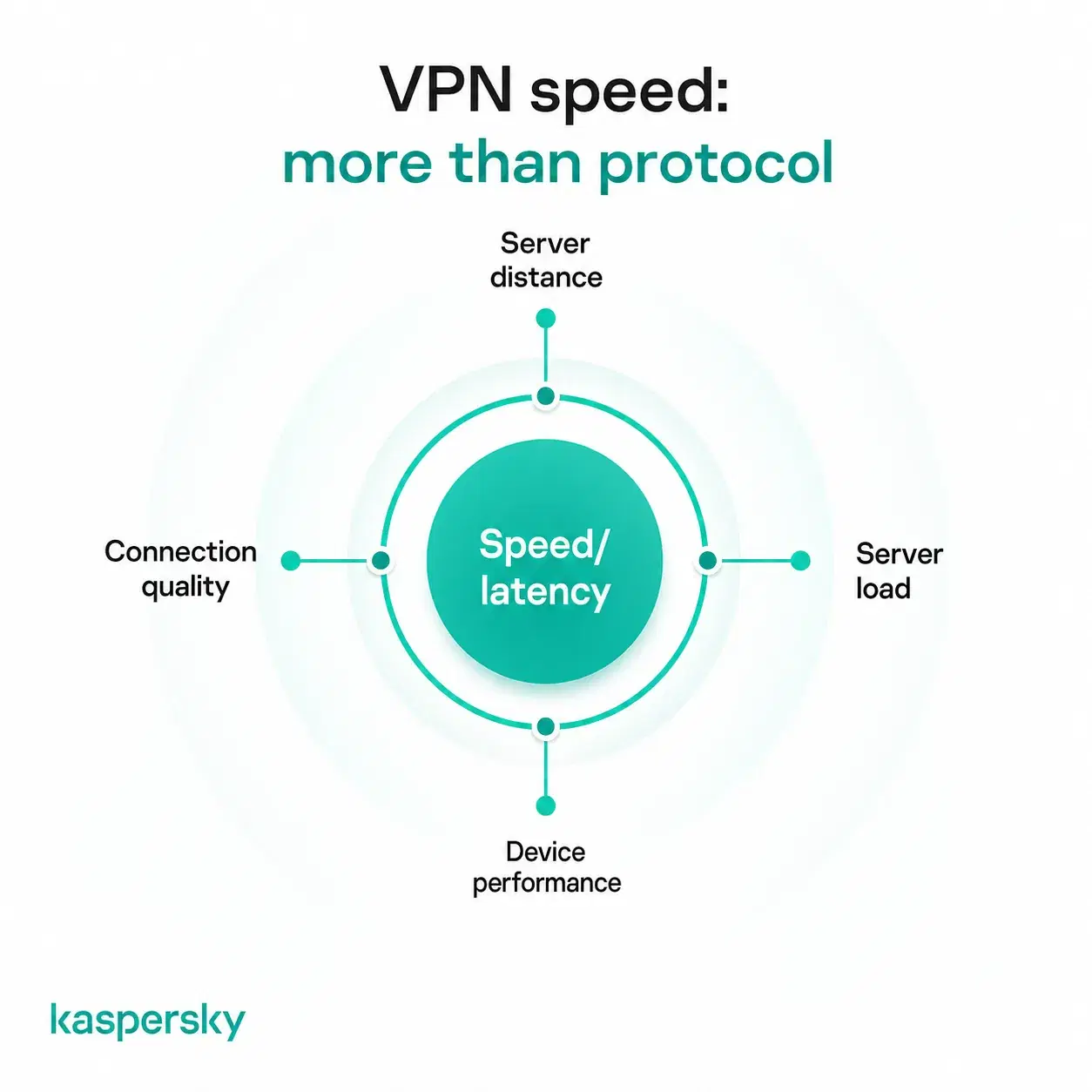
The protocol isn't the only factor determining VPN speed. Server distance, routing, server load, device performance, and the speed of the underlying internet connection can all have a big impact.
Which VPN protocol is best for mobile devices?
IKEv2/IPsec is particularly well suited to mobile devices because it can quickly restore the VPN connection when the underlying network changes. It can reconnect efficiently when a smartphone leaves a Wi-Fi network and switches to cellular data.
WireGuard is another strong mobile option because its lightweight design provides good performance without requiring significant device resources.
Which VPN protocol is best for restrictive networks?
OpenVPN over TCP and SSTP can be useful on networks where some types of VPN connection are restricted. Their transport methods can allow them to operate in situations where other protocol configurations encounter connectivity problems.
Choosing a particular protocol is not the same as using VPN obfuscation. Obfuscation is specifically designed to make VPN traffic harder to identify. A VPN protocol primarily determines how the connection itself operates.
Which VPN protocol is best for older devices?
Older devices may not support newer protocols such as WireGuard and may instead offer options such as L2TP/IPsec or PPTP. It is recommended to choose the newest secure protocol that the device supports.
Compatibility alone doesn't make a protocol suitable for modern use. PPTP has significant known security weaknesses and should not be used for privacy or security simply because an older device supports it.
What is the best VPN protocol?
There is no single best VPN protocol for every user or situation. Modern protocols such as WireGuard, OpenVPN, and IKEv2/IPsec can provide strong security when properly implemented. But they prioritize characteristics such as speed and mobility differently.
The protocol is also only one part of VPN security and performance. The VPN provider's implementation, server, device, operating system, network conditions, and configuration all affect the experience.
The simplest approach is to choose a modern and secure protocol that works well with your device and network. This is a better way to choose than looking for one protocol that is superior in every category.
Do you need to choose a VPN protocol yourself?
Most people don't need to select different VPN protocols manually. Consumer VPN apps may offer an Automatic or Recommended setting that chooses an appropriate protocol for the device and connection.
With Kaspersky VPN, Windows users can select a protocol manually, although Auto is recommended so the app can choose the optimal protocol based on network conditions. On macOS, Android, and iOS, protocol selection is automatic.
Manual selection can be useful when troubleshooting slow speeds, connection failures, unstable connections, compatibility problems, changing networks, or restrictive networks. Switching protocols may resolve the problem without requiring other changes.
Understanding the differences between protocols is still useful even if your VPN selects the protocol automatically. It can help you troubleshoot connection issues and make a more informed choice when necessary.
Related Articles:
- What is a VPN and how does it work?
- How does a VPN keep me safe online?
- What are the key differences between VPN vs proxy server?
- How choose best vpn server location
Related Products:
FAQs
Can a VPN protocol affect your internet speed?
Yes. Different VPN protocols have different levels of processing overhead and efficiency, so protocol choice can affect connection speed and latency.
Can you switch VPN protocols while using a VPN?
It depends on the VPN app and device. Some VPN apps let you select a protocol manually, while others choose one automatically. When manual switching is available, you usually need to reconnect the VPN for the change to take effect.
Does a VPN protocol affect your IP address?
Not directly. The VPN server typically determines the IP address you receive, while the protocol determines how your device connects securely to that server.
Are VPN protocols the same on every device?
No. Available protocols can vary depending on the VPN provider, operating system, device, and version of the VPN app.


