

Kaspersky PURE 3.0 | Ultimate PC Security Software

Kaspersky Kaspersky PURE 3.0 Total Security 4.4 stars, based on 1,575 reviews $69.95

New! Kaspersky PURE 3.0 Total Security

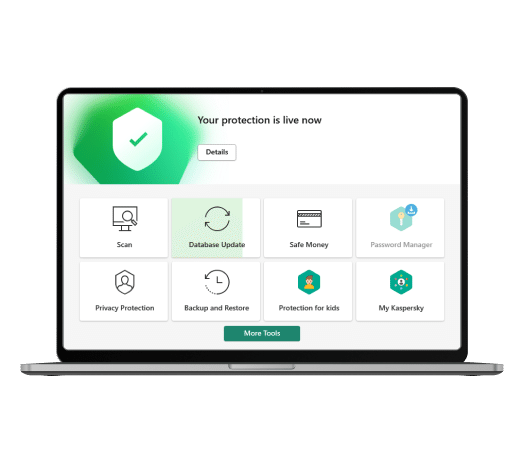
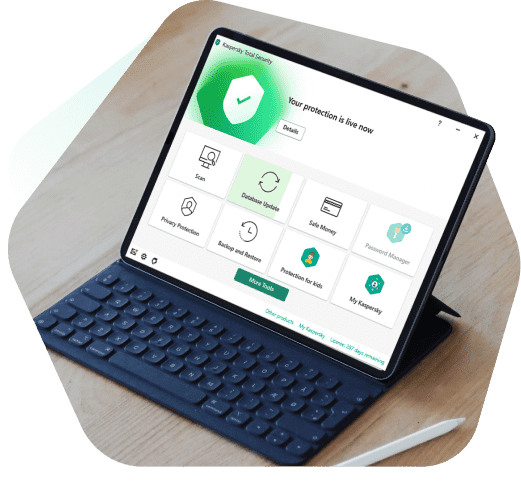
For the ultimate PC security solution, choose Kaspersky PURE 3.0 Total Security. It delivers everything you need to protect your PC – including your digital identity and your documents, photos, music, and passwords – against the latest, sophisticated malware and Internet threats. With special features that add further layers of protection when you’re online shopping or banking, Kaspersky PURE 3.0 also secures your money and your accounts against cybercriminals.

Key Features
  • Award-winning protection - defends against all types of malware & Internet threats
  • Unique Safe Money – helps to secure your financial transactions & data
  • Advanced Password Manager* – adds further protection for your digital identity
  • FREE online backup - lets you restore your data to any PC, via the Internet
  • Innovative keyboard security – maintains the privacy of sensitive information
  • Low impact on resources – helps preserve your PC’s performance
  • Enhanced protection – encrypts & stores your most precious files
  • Simplified security – lets you manage protection for multiple PCs… from one PC

*Password Manager is not available for x64 applications or browsers of all supported operating systems.

Download

Box Version


3 PCs - 1 Year Protection
3 PCs - 2 Year Protection

Save $25 on our top-rated PC protection when you buy now! *Offer valid on purchase of Kaspersky PURE 3.0 Total Security (1-3 PCs/1 Year) through 7/8/13.

$64.95
$89.95   Save: $25.00

Need protection for more PCs?


3 PCs - 1 Year Protection

Save $25 on our top-rated PC protection when you buy now! *Offer valid on purchase of Kaspersky PURE 3.0 Total Security (1-3 PCs/1 Year) through 7/8/13.

$64.95
$89.95   Save: $25.00


Core Protection
Kaspersky
PURE 3.0
Kaspersky Internet
Security 2013
Real-Time Protection secures PCs against known and emerging threats
Hybrid Protection combines the power of the cloud and your PC
Proactive Detection of unknown malware
Automatic Exploit Prevention ensures vulnerabilities won’t compromise your PC
Rollback of harmful malware activity
Intelligent Scanning & Updates deliver maximum PC performance
 
Advanced Protection
Kaspersky
PURE 3.0
Kaspersky Internet
Security 2013
Anti-Phishing protects your digital identity
Safe Money protects data during online financial transactions
Two-Way Firewall blocks hacker attacks
Application Control prevents suspicious and dangerous applications from harming your system
Quick launch of Virtual Keyboard helps defeat keyloggers & screen capture malware
Secure Keyboard protects personal data entered via a physical keyboard
Award-Winning Parental Control - monitor, limit and block kids’ online activities
Anti-Spam filters unwanted emails
Anti-Banner blocks annoying banner ads
 
Digital Asset Protection
Kaspersky
PURE 3.0
Kaspersky Internet
Security 2013
Password Manager* secures your online passwords and accounts
 
Password Sync allows passwords to be synched across multiple PCs
 
Scheduled, Automatic Backup protects your valuable digital assets
 
Online backup provides extra protection in case your PC crashes or is lost or stolen
 
Easy-to-Use Encryption allows you to safely store and transfer sensitive files
 
File Shredder irreversibly wipes deleted files off your system
 
PC Clean-Up Tools help keep your system running smoothly & securely
 
 
Easy Security Management
Kaspersky
PURE 3.0
Kaspersky Internet
Security 2013
Control Center makes it easy to manage security for all PCs in your home from one PC
 
Free Technical Support (phone, live chat, email and Knowledge Base)
 
Core Protection
Kaspersky
PURE 3.0
Kaspersky Internet
Security 2013
Real-Time Protection secures PCs against known and emerging threats
Hybrid Protection combines the power of the cloud and your PC
Proactive Detection of unknown malware
Automatic Exploit Prevention ensures vulnerabilities won’t compromise your PC
Rollback of harmful malware activity
Intelligent Scanning & Updates deliver maximum PC performance
 
Advanced Protection
Kaspersky
PURE 3.0
Kaspersky Internet
Security 2013
Anti-Phishing protects your digital identity
Safe Money protects data during online financial transactions
Two-Way Firewall blocks hacker attacks
Application Control prevents suspicious and dangerous applications from harming your system
Quick launch of Virtual Keyboard helps defeat keyloggers & screen capture malware
Secure Keyboard protects personal data entered via a physical keyboard
Award-Winning Parental Control - monitor, limit and block kids’ online activities
Anti-Spam filters unwanted emails
Anti-Banner blocks annoying banner ads
 
Digital Asset Protection
Kaspersky
PURE 3.0
Kaspersky Internet
Security 2013
Password Manager* secures your online passwords and accounts
 
Password Sync allows passwords to be synched across multiple PCs
 
Scheduled, Automatic Backup protects your valuable digital assets
 
Online backup provides extra protection in case your PC crashes or is lost or stolen
 
Easy-to-Use Encryption allows you to safely store and transfer sensitive files
 
File Shredder irreversibly wipes deleted files off your system
 
PC Clean-Up Tools help keep your system running smoothly & securely
 
 
Easy Security Management
Kaspersky
PURE 3.0
Kaspersky Internet
Security 2013
Control Center makes it easy to manage security for all PCs in your home from one PC
 
Free Technical Support (phone, live chat, email and Knowledge Base)
 

Product Reviews

core protection
Core Protection
+ hide all
  • Award-winning protection against all types of Internet threats
    Online shopping, banking, and social networking can leave your PC vulnerable to viruses – and your digital identity & finances exposed to criminal attacks. Kaspersky’s innovative hybrid protection approach combines powerful security technologies running on your PC and the real-time efficiency of the cloud. As a result, Kaspersky PURE 3.0 Total Security delivers a faster, more effective response to today’s ever-evolving threats.
  • Real-time, proactive, and cloud technologies detect new, emerging, and unknown threats
    Because new Internet threats emerge with amazing speed, Kaspersky protects your PC by using real-time data from the cloud. With the cloud-based Kaspersky Security Network constantly gathering data from millions of consenting users’ systems, Kaspersky can protect you from suspicious activity on your PC. Potential threats are monitored and analyzed in real-time – and dangerous actions are completely blocked before they can cause harm.
  • Best-in-class, two-way firewall
    Kaspersky’s two-way firewall provides a secure perimeter around your PC – to help ensure your personal information doesn’t fall into the wrong hands. In addition to preventing hackers from accessing your PC, Kaspersky’s firewall also controls what’s transmitted from your PC to the outside world – so malware can’t send out your documents or personal information.
  • Anti-spam
    In addition to cluttering up your email inbox and wasting your time, spam is often used by cybercriminals to deliver malware onto users’ PCs. Kaspersky PURE 3.0 includes a new anti-spam module that filters out unwanted email messages – and it starts blocking spam emails, as soon as you install it.
core protection
Advanced Protection
+ hide all
  • Secure online banking and shopping
    Whenever you use online banking, shopping websites, or online payment systems, Kaspersky PURE 3.0 provides additional layers of protection. Kaspersky’s unique Safe Money technology ensures that the website you’re visiting is secure – to prevent you from being exploited by a fake or phishing website. Safe Money will also offer to open your chosen website in a special, protected mode – so your credit card number and other personal data cannot be accessed by cybercriminals.
  • Automatic Exploit Prevention
    Malware is increasingly targeting vulnerabilities within commonly-used PC applications. Kaspersky PURE 3.0 includes a new technology – Automatic Exploit Prevention – that blocks malware from exploiting such vulnerabilities and stealing your personal data. Automatic Exploit Prevention scans your PC for vulnerabilities and controls the actions of any programs that have vulnerabilities. It blocks exploits by:
    • Controlling the launch of executable files by any applications that have vulnerabilities
    • Analyzing the behavior of executable files – to identify any similarities with known malicious programs
    • Restricting the actions that can be undertaken by applications that have vulnerabilities
  • Rollback of changes made by malware
    If an unknown piece of malware is present on your PC, Kaspersky’s unique System Watcher will detect its dangerous behavior and then enable you to undo most unwanted and harmful activity.
  • One-Click security checks
    With Kaspersky PURE 3.0, it’s easy to check the security status and reputation of any application, executable, or script – so you can make better-informed decisions about the files you wish to access and run. Kaspersky’s File Advisor uses cloud-based technologies to send you information such as filename, size, date created, date last modified, threat rating, digital signature, geography, distribution, and other Kaspersky users’ level of trust.
  • Safe surfing with URL Advisor & Safe Surf
    Whenever you surf the web, Kaspersky’s updated URL Advisor adds color-coded tags to all web links within the list of search results – to warn you about the danger level of any links. In addition, Kaspersky’s customizable Safe Surf feature will alert you about suspicious sites – so it’s easier to decide whether it’s safe to share your personal information.
  • Application Control
    Kaspersky’s Application Control feature uses real-time intelligence about threats, in order to determine security privileges for every application that you launch. Without any significant impact on PC performance, Application Control monitors unknown or suspicious applications and restricts them from undertaking potentially harmful actions. Potentially dangerous applications can be completely blocked from harming your PC.
  • Geo Filter
    Kaspersky’s unique Geo Filter lets you block content from specified countries. If you aren’t interested in receiving any content from non-English speaking countries – many of which have a history of generating malware – Geo Filter helps you to prevent potential malware reaching your PC. Even if a legitimate and trusted English-language website has its security compromised, so that it tries to send you malware from an overseas server, your PC will be protected.
  • Vulnerability Detection
    One of the easier ways for cybercriminals to find a hole in your protection is through application and system vulnerabilities that haven’t been updated with the latest fixes. Kaspersky Internet Security finds these vulnerabilities, and assists in patching the holes in your protection before they can be exploited by viruses, spyware, and identity thieves.
  • Network Attack Blocker
    Kaspersky scans all incoming network traffic for activities that are characteristic of a network attack. If an attempt to attack your computer is detected, Kaspersky blocks any and all network activity from the attacking computer.
  • Rootkit Detection
    Rootkits are designed to conceal system infections, and can be very difficult to detect by common antivirus tools. Kaspersky Internet Security uses special methods specifically designed to detect rootkits before they install, ensuring you’re protected from this advanced threat.
identity protection
Identity Protection
+ hide all
  • Password Manager* – including Password Sync
    Kaspersky’s Password Manager not only enhances your security – by generating secure, random passwords – it also securely stores your passwords in an encrypted vault and automatically logs you onto your website accounts and applications, including Skype and Instant Messenger. Now, with the new Password Sync feature, Kaspersky PURE 3.0 also securely stores your passwords online in the cloud. With Password Sync, you can safely access your passwords from all of your PURE 3.0 enabled PCs.
    *Password Manager is not available for x64 operating systems, applications, or browsers.
  • Secure Keyboard & improved Virtual Keyboard
    When you open a bank or payment website – or enter a password on a website – Kaspersky’s Secure Keyboard technology automatically prevents keyloggers from accessing the personal data that you type on your keyboard. Furthermore, Kaspersky’s improved Virtual Keyboard technology lets you input confidential data without even using a keyboard – so your information is safe from capture by ‘screen scrapers’, keyloggers, and more.
  • Anti-Phishing Defense
    With phishing attacks becoming increasingly common, Kaspersky’s latest cloud-based and proactive anti-phishing technologies do more to defend you – and your digital identity – against online fraudsters. Every time you receive an email or you navigate to a URL, it’s checked against Kaspersky’s online database of phishing websites.
Central Management of Multiple PCs
Digital Asset Protection
+ hide all
  • Scheduled backup
    If your PC is lost, stolen, or suffers a hard disk failure, Kaspersky’s flexible backup and restore features mean you can still access your precious photos, music, and financial documents. Kaspersky PURE 3.0 lets you backup your data onto your hard drive, removable media, or a range of other physical storage.
  • FREE Online backup
    With its new Online Backup feature, Kaspersky PURE 3.0 also allows you to store up to 2 GB of backup files online, free-of-charge, via Dropbox – so you can use any PC with an Internet connection to access your backup.
  • Secure vaults
    Kaspersky PURE 3.0 lets you create a special secure vault to store valuable information. All information in the vault is encrypted and the vault is also protected by its own password. Your encrypted information can’t be accessed by hackers and criminals, but you can safely transfer your confidential data from one computer to another.
performance
Family Protection
+ hide all
  • Helps to preserve PC performance
    Kaspersky PURE 3.0 has been optimized to work behind-the-scenes… providing everything you need to protect your PC – without noticeably affecting the speed of your PC and without constantly distracting you with alerts and queries.
  • Small, frequent updates
    By delivering small updates, Kaspersky helps to minimize the load on your PC’s processor. In addition, Kaspersky’s intelligent update process ensures that only active components of the software are updated at any given time. This further helps to reduce the load on your PC, while still ensuring you benefit from robust protection.
  • Intelligent scanning
    Because Kaspersky PURE 3.0 only scans files when they’re opened or modified – and background activities are reduced whenever you’re placing demands on your PC – Kaspersky delivers superior protection, without significantly affecting performance. You can enjoy watching movies, surfing the web, or running multiple programs – without your security software disrupting you.
  • Gamer Mode
    Kaspersky PURE 3.0 includes a special Gamer Mode that blocks pop-ups and helps to free up more of your PC’s resources for your game. Kaspersky technologies continue to block hackers and malware attacks – without interrupting or slowing down your game.
PC cleanup tools
PC tools
+ hide all
  • PC Cleanup
    On every PC, Internet browsing history and deleted files can adversely affect performance and leave PCs vulnerable to attacks. Kaspersky PURE 3.0 includes special PC Cleanup tools that can permanently delete surfing history, temporary files, cookies, and documents. PC Cleanup means you can protect your privacy and digital identity, while also ensuring your PC keeps running smoothly.
  • File Shredder
    Even after you delete a file and empty your Recycle Bin, the file is still recoverable on your hard drive – so it’s still possible for cybercriminals to access it. Kaspersky’s File Shredder irreversibly wipes your deleted files off your PC – so your deleted files can’t be recovered, reconstructed, or stolen.
  • System Restore
    Some types of malware – including spyware and rootkits – can change your system settings, in order to make your PC vulnerable to infection. Kaspersky PURE 3.0 scans your system settings for suspicious changes, and alerts you if it decides you could benefit from restoring your original settings.
  • Rescue CD
    Kaspersky makes it easy to create a bootable rescue CD. If destructive malware somehow manages to find its way onto your PC, the rescue CD provides a quick and easy way to restore your system.
digital asset protection
'My account', technical support, and more
+ hide all
  • My Account
    Through Kaspersky’s My Account feature, you can easily manage your activation codes & account information, and receive up-to-date news about threats, product updates, special offers, and discounts.
  • Free technical support
    Free-of-charge, North American-based technical support is available via telephone, email, and online chat. Additional support includes FastTrack Support, an online troubleshooter, and the Kaspersky knowledge base – an online database that provides detailed answers to questions about installing and using Kaspersky products.
  • Installation on infected PCs
    If your PC is so severely infected that no antivirus software can be installed on it, Kaspersky has a downloadable, proprietary tool that scans PCs and eliminates all threats. In cases where the infection and damage are so severe that the PC’s operating system can’t even launch correctly, Kaspersky still can help. The Kaspersky PURE 3.0 installation CD can be used as a bootable Rescue Disk – in order to detect and eliminate all infections. Having removed the infection, you can then easily continue with installing Kaspersky PURE 3.0.
additional features
Central management
+ hide all
  • Manage multiple PCs… from a single PC
    Kaspersky PURE 3.0 includes Home Network Control – to make it incredibly simple to manage the security of multiple PCs in your home. From one PC, you can easily view and control all security tasks – including running scans, updates, and backup tasks, fixing security issues, remotely managing parental controls… and more. Maintaining the security of your PCs has never been easier or more convenient.
family protection
Family Protection
+ hide all
  • Award-winning Parental Control
    Kaspersky PURE 3.0 includes award-winning Parental Control features – to help keep your children safe and responsible. In addition to controlling your children’s access to the PC, Internet, applications, games, and websites, you can also block, limit, or log Instant Messaging and social networking. Furthermore, it’s easy to control file downloads and you can even block the transfer of private data – such as phone and credit card numbers.
  • Remote management of Parental Control
    By giving you remote management of Parental Control features, Kaspersky PURE 3.0 makes it even easier for you to ensure your children are safe when they’re online. From one PC, you can access all of the PCs in your home – to adjust the Parental Control settings and monitor all online activities. You can even customize the reporting facilities – so you get a convenient view of the information that’s most important to you.
System Requirements
Operating Systems*
Hardware Requirements
  • Microsoft Windows XP Home Edition (Service Pack 3 or higher)
  • Microsoft Windows XP Professional (Service Pack 3 or higher)
  • Microsoft Windows XP Professional x64 Edition (Service Pack 2 or higher)
  • Intel Pentium 800 MHz or higher (or equivalent)
  • 512 MB available RAM
  • Microsoft Windows Vista Home Basic (32 / 64 Bit) (Service Pack 2 or higher)
  • Microsoft Windows Vista Home Premium (32 / 64 Bit) (Service Pack 2 or higher)
  • Microsoft Windows Vista Business (32 / 64 Bit) (Service Pack 2 or higher)
  • Microsoft Windows Vista Enterprise (32 / 64 Bit) (Service Pack 2 or higher)
  • Microsoft Windows Vista Ultimate (32 / 64 Bit) (Service Pack 2 or higher)
  • Intel Pentium 1 GHz 32 bit (x86) / 64 bit (x64) or higher (or equivalent)
  • 1 GB available RAM
  • Microsoft Windows 7 Starter (Service Pack 1 or higher)
  • Microsoft Windows 7 Home Basic (32 / 64 Bit) (Service Pack 1 or higher)
  • Microsoft Windows 7 Home Premium (32 / 64 Bit) (Service Pack 1 or higher)
  • Microsoft Windows 7 Professional (32 / 64 Bit) (Service Pack 1 or higher)
  • Microsoft Windows 7 Ultimate (32 / 64 Bit) (Service Pack 1 or higher)
  • Intel Pentium 1 GHz 32-bit (x86) / 64-bit (x64) or higher (or equivalent)
  • 1 GB RAM (32-bit) or 2 GB RAM (64-bit)
  • Microsoft Windows 8
  • Microsoft Windows 8 Pro
  • Microsoft Windows 8 Enterprise
  • Intel Pentium 1 GHz 32-bit (x86) / 64-bit (x64) or higher (or equivalent)
  • 1 GB RAM (32-bit) or 2 GB RAM (64-bit)

*Password Manager only works with 32-bit applications.
*ARM is not supported.

Required for all installations
  • Approximately 700 MB free space on the hard drive (depending on antivirus database size)
  • CD-ROM or DVD-ROM drive - for installing Kaspersky PURE 3.0 from CD
  • Computer mouse or other suitable pointing device
  • Internet connection - for activating Kaspersky PURE 3.0
  • Microsoft Internet Explorer 8.0 or higher
  • Microsoft Windows Installer 3.0
Hardware requirements for netbooks:
  • Intel Atom 1.6 GHz (Z520) - or compatible
  • 1GB DDR2 available RAM
  • Video adapter: Intel GMA950 with at least 64 MB of memory - or compatible
  • Screen size: 10.1 inch, with 1024x600 resolution - or above